

My monitor used to sit on a stack of anatomy textbooks. Not a great look, and my neck paid for it every night after a twelve-hour shift. When I finally bought a monitor arm, I spent about two weeks going back and forth between the VIVO single arm and the Ergotron LX. The price gap stopped me cold. The VIVO runs around $35. The Ergotron LX runs close to $170. That is a real difference when you are a nurse trying to build a home office on a side-income budget, not a tech company with a corporate card.
I bought the VIVO first. I later got hands-on time with an Ergotron LX through a colleague who had the same setup dilemma. This comparison is based on using both, not reading spec sheets. Short answer: the VIVO wins for almost every home office worker on a normal budget. The Ergotron LX wins in one specific situation. Let me walk you through exactly where each one earns its keep and where each one falls short.
| Feature | VIVO Single Monitor Arm | Ergotron LX |
|---|---|---|
| Price | ~$35 | ~$170 |
| Weight Capacity | 22 lbs | 20 lbs |
| Monitor Size Range | 13 to 38 inches (ultrawide-ready) | Up to 34 inches |
| Cable Management | Basic clip system | Fully enclosed channel routing |
| Build Material | Steel and durable plastic | Full aluminum |
| Adjustment Friction Control | Fixed tension, no user tuning | User-adjustable tension dial |
| VESA Compatibility | 75x75, 100x100 | 75x75, 100x100 |
| Finish Options | Black only | Black, white, silver |
| Warranty | 3 years | 5 years |
| Best For | Budget home office, casual users | Power users, heavy daily repositioning |
Where the VIVO Wins
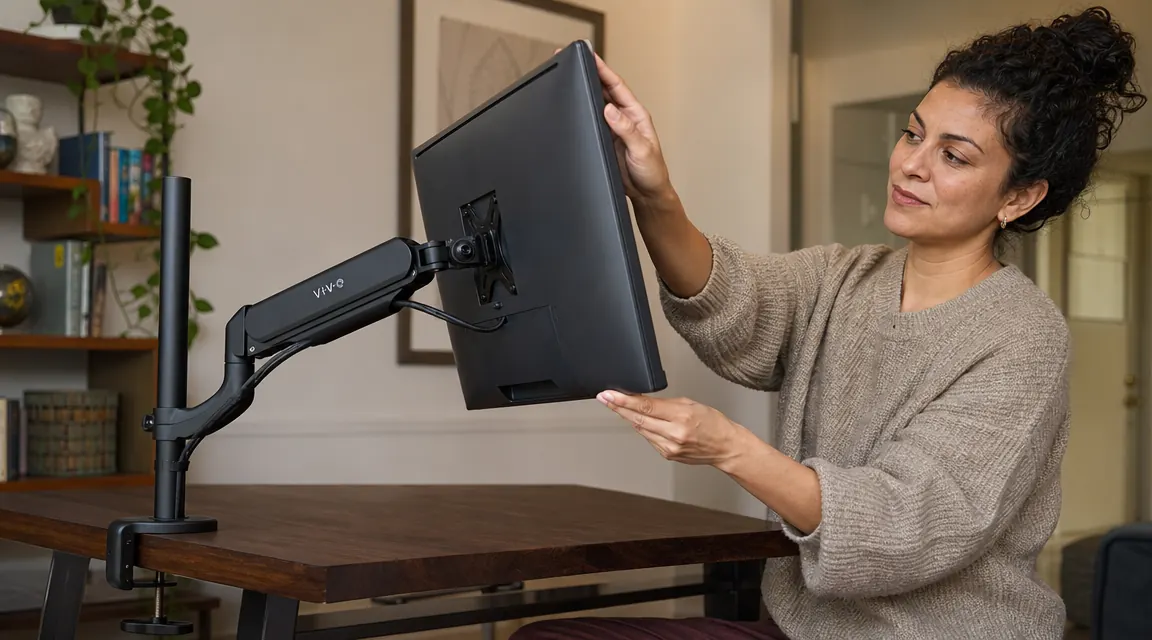
The VIVO's first win is obvious: price. At around $35, it costs less than a single hour of some tradespeople's labor. But price alone does not justify anything. What matters is that the VIVO actually delivers the core function of a monitor arm at that price. It holds your monitor securely, it adjusts to eye level, it frees up the desk surface you were using for a monitor stand. That is the job. The VIVO does the job.
The second win is weight capacity. This surprises people. The VIVO supports up to 22 lbs, which edges out the Ergotron LX's 20 lb ceiling. Most monitors fall well under both thresholds, but if you are running a larger screen or an older heavier panel, the VIVO has a slight edge there. It also fits ultrawide screens up to 38 inches. The Ergotron LX tops out at 34 inches, so if you are running an ultrawide setup or planning to upgrade to one, the VIVO is not just the cheaper choice, it is the better-spec'd choice for that use case.
Installation is straightforward on both arms. The VIVO clamps to your desk edge with a C-clamp or optional grommet mount. Setup takes about fifteen minutes if you have never done it before. Once the tension is set at the factory level, it holds most monitors steady without drift. For a monitor you set once and leave in one position all day, the fixed tension is not a limitation at all.
Where the Ergotron LX Wins
The Ergotron LX's biggest advantage is the adjustable tension dial. If you reposition your monitor constantly throughout the day, the LX makes that smoother. The arm moves with a kind of damped resistance that feels considered. You can dial in exactly how much force is required to lift or lower the display, which matters if you are hot-desking between standing and sitting, or if you share the desk with a partner who prefers a different height. For a setup like that, the feel difference is real.
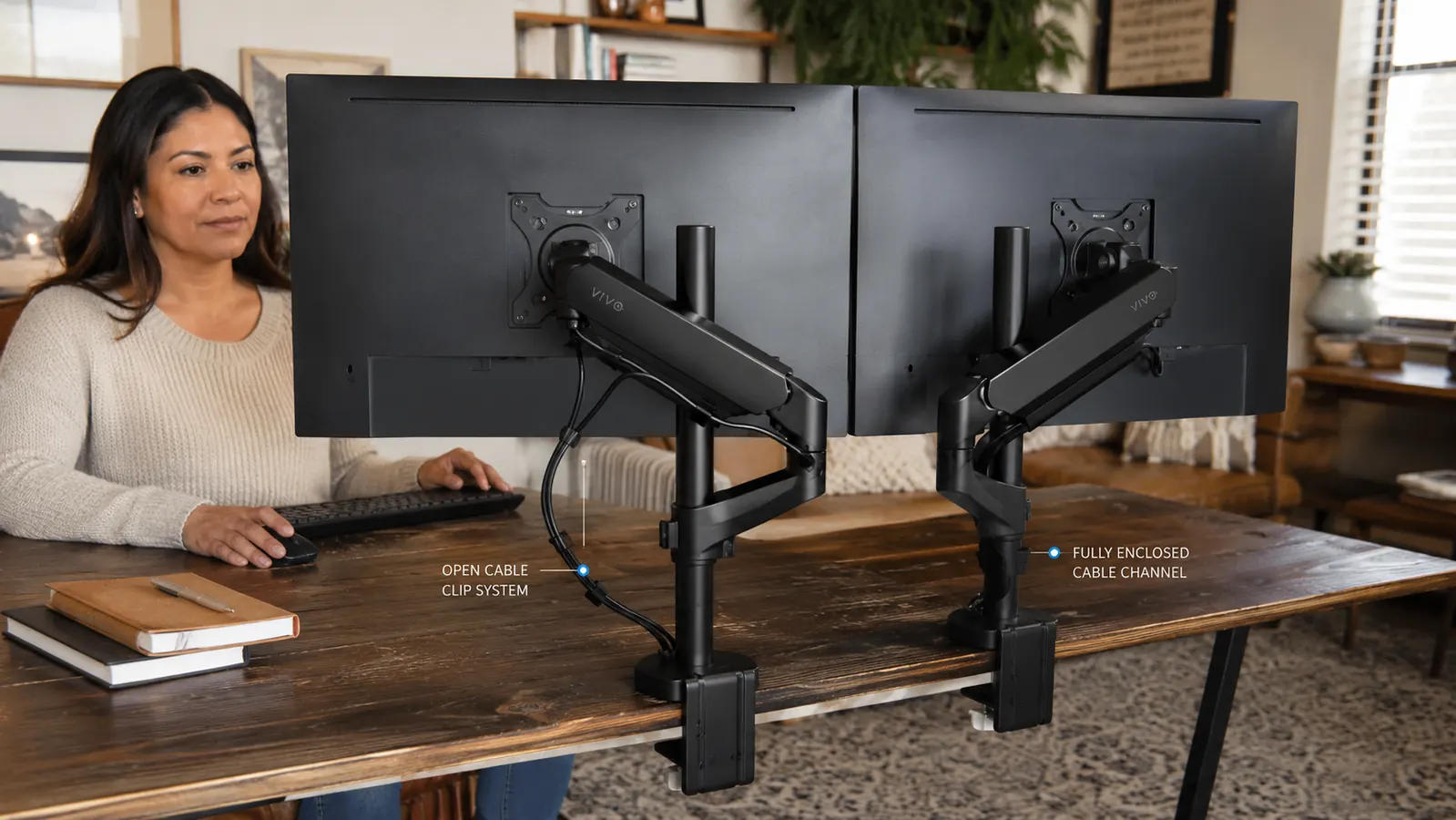
The enclosed cable channel is also a genuine advantage for people who care about a completely clean visual presentation. The Ergotron routes cables through the arm itself, so no wire is visible from any angle. The VIVO uses a clip system that holds cables along the arm but does not hide them inside it. Both solutions are tidier than loose cables. But if you are photographing your setup for a portfolio, or if cable visibility genuinely bothers you at a deep level, the Ergotron's solution is the cleaner one. The aluminum build and multiple finish options round out the premium case.
The VIVO frees your desk and fixes your neck for $35. The Ergotron LX does the same thing with a smoother feel and prettier cable routing. For most home office workers, the extra $135 buys refinement, not function.
Ready to free up your desk and fix your neck posture tonight?
The VIVO single monitor arm works with monitors up to 38 inches, holds up to 22 lbs, and installs in about fifteen minutes. Check today's price on Amazon before it moves.
Amazon Check Today's Price on Amazon →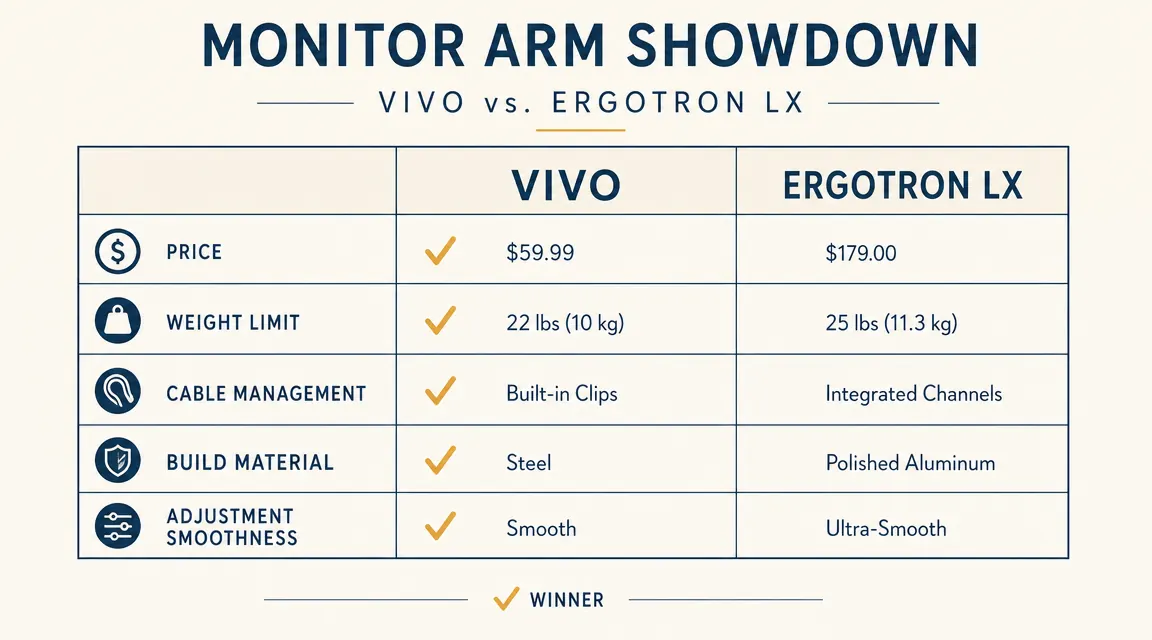
Build Quality: How Different Does It Actually Feel?
Holding both arms back to back, the difference is noticeable. The Ergotron LX is full aluminum and feels like it belongs in a professional studio. The VIVO is steel with plastic joints, and it feels like a solid, well-made piece of functional hardware. Neither arm feels cheap in daily use. The VIVO does not wobble, it does not creak, and it does not drift once set. But if you tap the arm while the monitor is mounted, the Ergotron rings with a different quality of solidity. It is a premium feel difference, not a durability difference for most use cases.
Over time, some users report that the VIVO's joint tension loosens slightly after heavy repeated adjustment. If you are someone who moves your monitor a dozen times a day, the VIVO may develop a small amount of drift within the first year. The Ergotron's adjustable dial lets you compensate for any tension change over time. For a nurse working evenings at a home desk who sets the monitor once and does not touch it again until the next session, the VIVO's fixed tension is not going to be a problem in any realistic timeframe.
Cable Management: Real Difference or Cosmetic Detail?
This is the detail that gets the most attention in comparison articles and I want to give it an honest treatment. The VIVO cable clips do work. Your cables will be organized and held close to the arm. From a normal desk-sitting position, you will not be staring at loose wires. From directly behind the arm, the clips are visible and the cables are not hidden. The Ergotron's fully enclosed routing genuinely disappears the cables from every angle. If you are building a desk setup for a YouTube background or you share workspace with someone who notices these things, the Ergotron wins on this point clearly. If you are working at a home desk focused on your screen, the VIVO's cable routing is more than adequate.

Who Should Buy the VIVO
Buy the VIVO if you are on a real budget and you want the full ergonomic benefit of a monitor arm without spending $170 to get there. This covers the vast majority of home office workers: remote employees, nurses charting evenings, students, and anyone upgrading from a monitor stand for the first time. It also covers anyone running an ultrawide or a heavier monitor that exceeds the Ergotron's specs. And it covers anyone who sets their monitor position in the morning and leaves it there. The VIVO is built for that workflow and it does it well. Its 4.5-star rating across more than 20,000 reviews is the most reliable data point I can point you toward. It earns that rating.
Who Should Buy the Ergotron LX
Buy the Ergotron LX if you reposition your monitor frequently and you can feel the difference in movement quality, if you are building a showcase desk setup where every detail needs to be polished, or if you want the longer warranty and the user-adjustable tension for a monitor you know you will be moving a lot over the next five years. It is also the right choice if a partner or family member shares the desk and the two of you need very different monitor heights throughout the day. The LX makes that kind of frequent adjustment genuinely pleasant. Just be clear-eyed that the extra $135 is buying refinement and durability signals, not a meaningfully different ergonomic outcome for most people.
The Real Verdict on the Price Gap
Four times the price does not mean four times the function. Both arms do the same core job: they take your monitor off the desk surface, position it at eye level, and free up the workspace underneath. The VIVO does that job completely and reliably for $35. The Ergotron LX does that job with a more premium feel, cleaner cable routing, and a tension dial for power users, for $170. Whether that difference justifies the gap depends entirely on your use case and your budget. For a first monitor arm in a home office setup, the VIVO is the correct default choice. If you already know you are a frequent repositioner or you are building a high-end workspace, the Ergotron LX is worth it. Start with the VIVO. If you hit its limits, you will know.
One last note: the VIVO's three-year warranty is solid. Most home desk monitor arms get mounted once and stay put for years. The warranty gap between three and five years is unlikely to matter in a typical home use scenario. If you are mounting one arm for a corporate environment with multiple daily users, the five-year Ergotron warranty starts making more practical sense.
The VIVO arm: all the ergonomic benefit, none of the premium markup
Supports monitors up to 38 inches and 22 lbs. Clamp or grommet mount included. Setup takes about fifteen minutes. Check today's price before it changes.
Amazon Check Today's Price on Amazon →